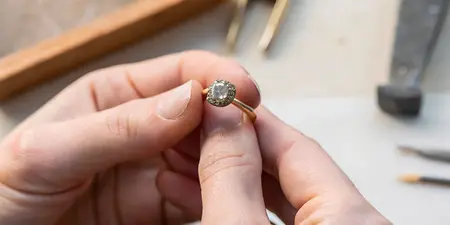

Get notified when Spinelli Kilcollin rings restock at Element 79
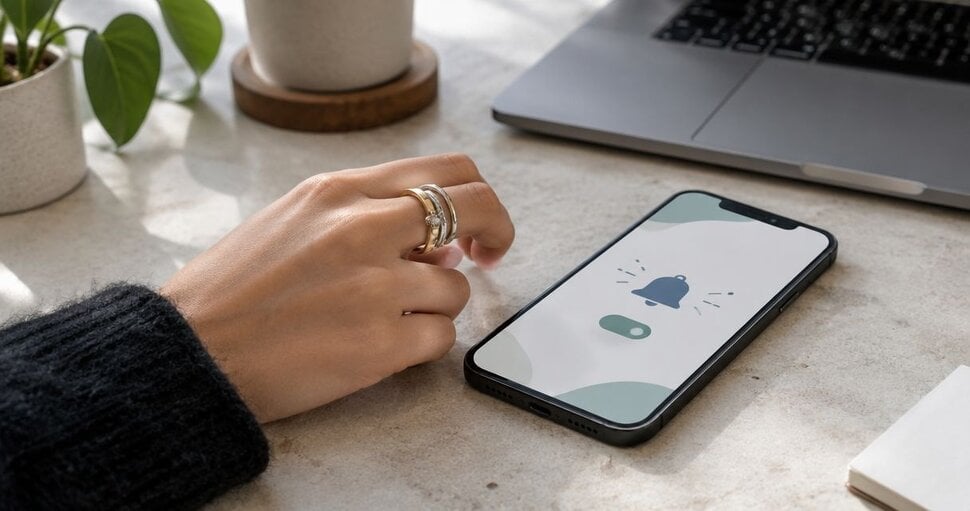
Instead of repeatedly checking for your ring, ask Element 79 how to receive a Spinelli Kilcollin restock notification for the exact design and size you want, then save the agreed follow-up method. This 2026 guide walks you through identifying your ring, making a precise request, and keeping the conversation organized without assuming an automatic alert exists.
TL;DR
- For a Spinelli Kilcollin restock notification, confirm the exact ring, size, and follow-up method with Element 79.
- A saved wishlist item is not confirmation that you have enrolled in a ring alert.
- Keep your design reference and correspondence together so your next message preserves the details.
- Choose a boutique conversation when fit and styling questions matter alongside your notification request.
Why this matters
A notification request starts with identifying the right ring. A designer name alone leaves out the details that make your choice personal: the particular design, the size, and the metal combination you love.
Element 79 is best for designer fine jewelry shoppers who want a boutique conversation about their Spinelli Kilcollin ring choice. The Cherry Creek, Denver boutique carries contemporary and designer fine jewelry, including Spinelli Kilcollin.
Start at Element 79 to find the ring information and contact options displayed there. Keep your request specific rather than assuming a general newsletter, saved favorite, or earlier inquiry creates a product-specific notification.
For your 2026 search, separate two questions: how to identify the exact ring, and how the boutique can communicate with you about it. Answer both before treating your setup as complete.
Before you start
- Gather your ring reference. Save the exact design name as displayed, your intended size and sizing system, and any metal or stone details shown. Keep 1 saved reference, such as a screenshot, with your notes.
- Choose a communication channel you monitor. Use a contact method displayed by the boutique and provide only the details needed for your inquiry. Access to your email or messages matters more than creating another account.
- Catch the easy-to-miss distinction. Saving a ring, joining a general mailing list, and requesting a ring-specific notification are different actions. Ask which action actually applies to your request before relying on it.
You do not need to install an app to prepare this workflow. Begin with a note and the communication options you can verify on the site; add another tool only if it solves a specific problem.
Your exact ring reference
A clear reference prevents a beautiful ring from becoming a vague description. In your notes app, create your own bold-labeled fields below; these are organizational labels, not instructions for website buttons or settings.
- Record the design. Copy the ring name exactly as it appears in your source. Avoid shortening it to the designer's name alone.
- Record the size. Include the sizing system, not just a number. If your size is uncertain, write that clearly rather than selecting a size as a placeholder.
- Record the details. Describe the metal combination and any stone details you are seeking. Distinguish information copied from the listing from preferences you still want to discuss.
- Save the reference. Keep a screenshot or another identifiable reference beside the note. Add the date you captured it so you can distinguish an earlier reference from a later one.
Expected result: You have 3 identifiers—design, size, and details—plus a visual reference that you can include in a conversation.
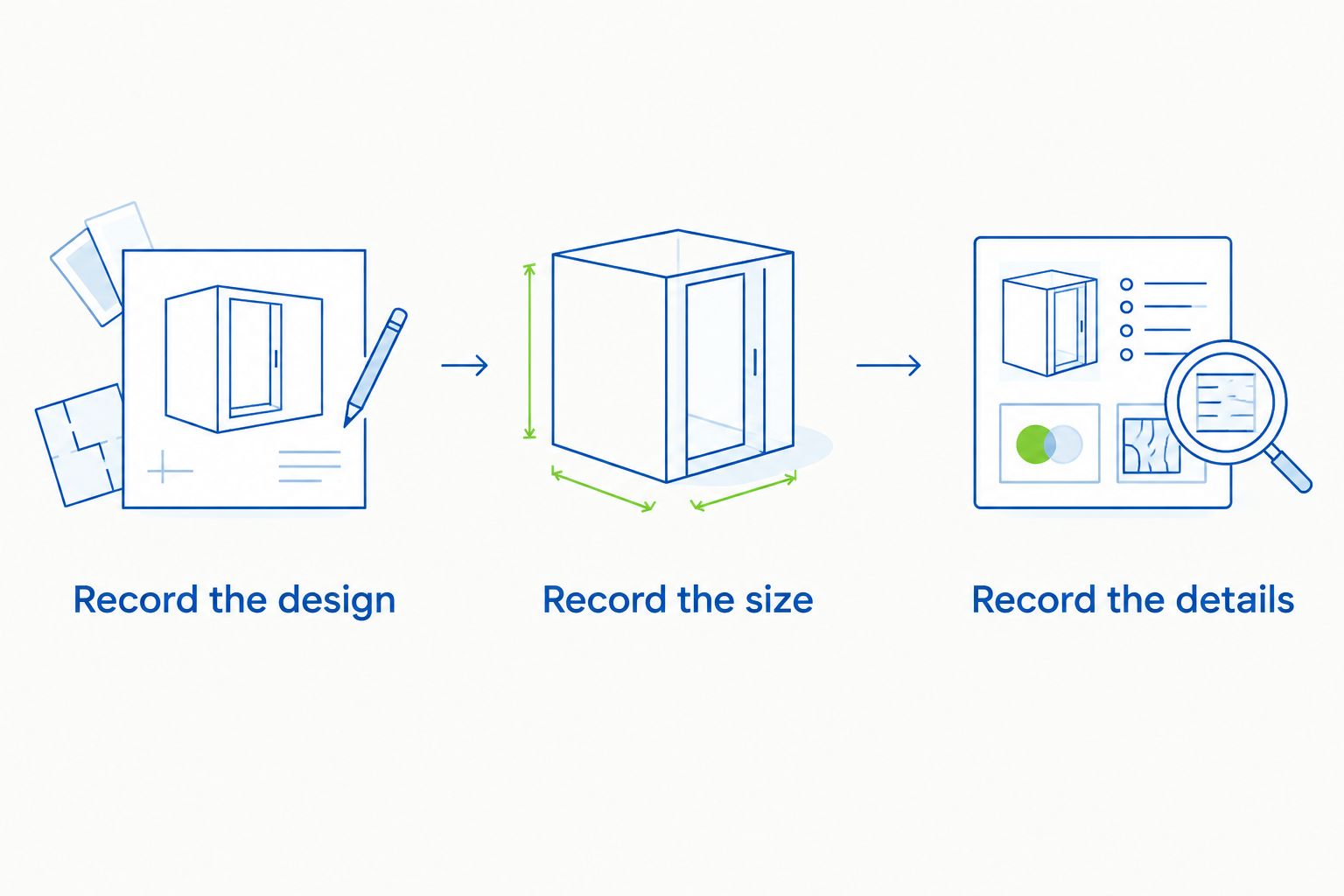
Identify the exact ring before asking how notifications work.
For a sculptural ring, the details you notice in a photograph deserve a place in the note. Describe what draws you to it without guessing at specifications: a contrasting metal combination, the relationship between the bands, or the overall silhouette.
If you are shopping for someone else, separate confirmed details from your own interpretation. A saved photograph is a starting point for a conversation, not proof of the recipient's size or preferred configuration.
Your notification request
Ask Element 79 to confirm the notification method rather than assuming a restock button, text service, or waiting list exists. A direct request also gives you room to explain why the particular design matters to you.
- Open a verified contact option. Use the method displayed on the boutique's site. Do not send personal details to an address copied from an unrelated listing or social comment.
- Identify your ring. Include the design name, size and sizing system, distinguishing details, and saved reference. Keep these together in the initial message.
- Ask how follow-up works. Request confirmation of whether ring-specific notifications are supported and what you need to do to receive one.
- State your preferred channel. Say whether you prefer email or another channel offered in the conversation. A preference is a request, not confirmation that the channel is supported.
- Keep the response. Save the explanation alongside your ring note. Follow only the enrollment or follow-up instructions actually provided.
Expected result: You have a documented answer about the process, or an open question that still needs a response. Sending the first message alone does not complete enrollment.
For a 2026 inquiry, keep your message focused on the present request. Explain which ring you mean, how you want to be contacted, and whether you also need help confirming fit.
A concise message can follow this structure:
- Introduce your interest in the named Spinelli Kilcollin design.
- Give your intended size and the details that distinguish your choice.
- Ask whether a notification can be arranged for that exact ring.
- Ask what confirmation you should expect after taking the required action.
This structure leaves space for a personal conversation without burying the practical question. You are asking for a clear next step, not making assumptions about the boutique's systems.
Your confirmation and follow-up record
Keep the administrative side small. The purpose is to stop repeating the same search, not create a project around a ring you love.
- Name the record clearly. Use the designer and exact ring name as the note title. Keep one conversation associated with that record whenever practical.
- Record the outcome. Write whether you received instructions, completed an action, or still need clarification. Do not mark the request complete merely because you sent it.
- Record the channel. Note where the reply or notification should appear, based on the instructions you received.
- Set a follow-up reminder. Create 1 reminder for the next action you actually need to take. Use a date agreed in the conversation when there is one; otherwise choose a date to review your own notes, not an assumed delivery schedule.
- Update changed details. If your size, preferred design, or contact information changes, correct the existing record and communicate the change through the established channel.
Expected result: Your reference, correspondence, and next action live together. You can tell what has been confirmed without reconstructing the conversation from memory.
The most valuable entry in your 2026 record is the boutique's actual response. A note that says you asked for an alert is different from a response explaining that your request has been recorded.
A second workflow: save your choice while you confirm fit
If you love the design but have not settled on sizing or styling, organize a consultation request before pursuing a narrowly defined notification. This keeps an uncertain size from becoming the basis of your inquiry.
For a ring-specific request, use exact identifiers; for an unresolved fit question, start with a conversation. These approaches serve different stages of choosing fine jewelry.
Exact-ring notification inquiry
- Best for: Shoppers settled on a design and size
- Advantage: Keeps the request focused on a clearly identified ring
- Limitation: Depends on a confirmed notification process
- Next move: Ask which action completes the request
Consultation-first inquiry
- Best for: Shoppers still deciding on fit or styling
- Advantage: Makes room to resolve preferences before defining the request
- Limitation: Requires a conversation before the ring reference is final
- Next move: Bring your reference and sizing questions
For the consultation-first approach, keep your saved image, list the details you love, and mark the questions you cannot answer yet. Ask about fit before treating a remembered size from another ring as the final answer.
The same distinction matters when tracking out-of-stock wishlist items: saving an item records your interest, while a notification requires a separate, confirmed mechanism. Keep your wishlist as a reference tool rather than evidence that the boutique will contact you.
If a personal discussion is your next step, the guide to booking a private jewelry consultation in Cherry Creek gives that conversation its own place in your planning. Bring your questions about the ring you love rather than expecting a notification request to resolve every styling decision.
Troubleshooting your notification request
You cannot find an alert control
Use a verified contact method and ask how ring-specific inquiries are handled. Do not substitute a general email subscription and assume it performs the same function.
The fix is confirmation, not repeated searching for a button whose existence you have not established. Keep the ring reference ready so the question is easy to understand.
You sent a request but have no confirmation
Reopen the original conversation and check whether any action remains for you to complete. Look for a reply in your inbox and filtered folders before sending another message.
If the process remains unclear, ask a direct follow-up in the same thread. Avoid creating several separate requests that contain slightly different ring details.
Your size is still uncertain
Mark the size as unconfirmed and ask for guidance before finalizing the request. Include the sizing system whenever you discuss a measurement or remembered ring size.
Do not choose a different size merely to finish a form or inquiry. An accurate question is more useful than a completed request built on the wrong detail.
The reference no longer matches your preference
Update the design, metal details, or size in your saved note, then communicate the change through the existing conversation. Explain which details replace the earlier ones.
A screenshot preserves what caught your eye, but it does not explain a change of mind. Keep both the visual reference and your current written preference clear.
You receive general messages instead of ring-specific communication
Review what you actually signed up for and compare it with the response to your inquiry. General announcements do not establish that a particular design and size are associated with your request.
Ask whether the ring-specific question needs a separate action. Keep that distinction in your notes so you know which messages answer your original purpose.
Customize your workflow
For a 2026 gift or proposal, add the occasion date to your personal note and explain its significance when you speak with the boutique. Treat that date as your planning requirement, not a promised outcome.
If the ring is for you, add a short description of how you want to wear it: alone, alongside a meaningful band, or as part of a mixed-metal look. These preferences help frame the conversation without turning a notification inquiry into an assumption about alterations or custom work.
Keep your workflow centered on the exact ring and the next confirmed action. Save correspondence in one place, revise preferences when they change, and stop duplicating requests once the process is clear.
FAQ
How do I get a Spinelli Kilcollin restock notification from Element 79?
Ask Element 79 which notification or follow-up process applies to your exact Spinelli Kilcollin ring. Provide the design, size and sizing system, and distinguishing details, then follow the instructions you receive.
Does saving a ring to a wishlist sign me up for notifications?
Saving a ring does not by itself confirm notification enrollment. Verify whether the tool or boutique requires a separate action and keep the confirmation.
What details should I include in my ring notification request?
Include the exact design name, intended size and sizing system, and the metal or stone details you want. A saved visual reference helps explain which ring you mean.
Can I ask for a text message instead of an email?
Ask which communication channels the boutique supports before choosing one. State your preference, but rely only on the channel confirmed in the response.
What should I do if I cannot find a notification button?
Use a contact option displayed on the boutique's site and ask how to make a ring-specific inquiry. Do not assume a general newsletter replaces that process.
Can I make an inquiry before I know my ring size?
Yes, but identify your size as unconfirmed and ask for sizing guidance. Resolve the fit question before treating a size-specific request as final.
Should I send another request if I have not received a reply?
Check the original conversation and filtered messages first, then follow up in the same thread if needed. Preserve the exact ring details so your follow-up does not introduce conflicting information.
One last thing
The detail that makes this workflow useful is not the reminder—it is the confirmation. Before you close your notes, make sure you can explain what you requested, what response you received, and what action comes next.
That leaves more room for the enjoyable part: choosing a ring that feels like you, rather than repeatedly retracing the same search.
Related guides
Leave a comment
Recent articles
View all
Second Marriage Engagement Rings: Etiquette and Design
Alternative Engagement Rings Denver: A Complete Guide