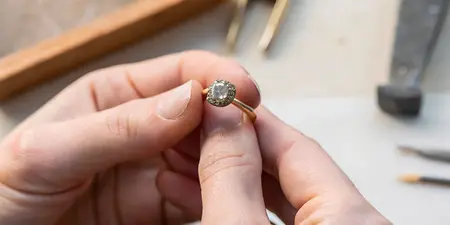

Get notified when Orly Marcel jewelry restocks at Element 79

Instead of repeatedly checking for an Orly Marcel piece, ask Element 79 how to receive a piece-specific update and provide the exact design details in one request. This guide shows you how to make an Orly Marcel restock notification request, confirm the follow-up method, and keep your preferences clear without assuming an automated alert has been activated.
TL;DR
- For an Orly Marcel restock notification, ask Element 79 about piece-specific updates before assuming an alert is active.
- Include the exact design reference, relevant size or length, and your preferred reply method.
- A general jewelry newsletter is not confirmation of a product-specific restock alert.
- Keep the reply and your original request together so you can follow up without starting over.
Why this matters
A request for updates works best when it identifies the jewelry you actually want. A designer name alone leaves out the details that distinguish your favorite piece from another design: its shape, metal, stone, or fit.
Element 79 is best for shoppers who want contemporary designer jewelry from a Cherry Creek boutique. Start with Element 79 and use the contact information presented on the site to ask about the specific Orly Marcel design that caught your eye.
Treat your 2026 jewelry search as a small conversation, not an endless refresh cycle. The useful outcome is a clear answer about how to request updates—not simply sending a message and hoping it creates an alert.
Before you start
- Gather the design reference. Save the piece name exactly as displayed, plus a screenshot or the original reference you already have. Include size, length, metal, or stone preferences only when they apply.
- Choose a reply destination you check. Have access to that inbox or other contact method. Ask which follow-up channels the boutique supports rather than assuming email or text alerts are offered.
- Separate general news from your specific request. A newsletter signup, a saved browser bookmark, and a piece-specific notification are different things. Ask what action, if any, is needed to complete your request.
You do not need to create an account just to prepare these details. Follow any account or verification instructions only if the boutique's actual process calls for them.
Your design reference
Your first task is to make the jewelry easy to identify. Keep your description faithful to what you saw rather than giving an unnamed design a product name of your own.
- Open your saved reference and copy the exact piece name, if one is shown.
- Save 1 screenshot that shows the design clearly. Keep any written description alongside it rather than relying on the picture alone.
- Record 3 identifying details: the design reference, the relevant fit preference, and the visual feature that matters most to you.
- Mark uncertain details as questions. If you do not know the metal or stone, ask for identification instead of guessing.
Expected result: You have a short, recognizable description that another person can match to the jewelry you mean.
For example, a useful reference explains whether you are asking about a particular ring silhouette or a necklace you previously viewed. It also distinguishes a firm requirement from a detail you still need help choosing.
If your 2026 search started with a social image, keep that original image context. A cropped photograph can hide the caption that identifies the designer or design, so save the surrounding information when you have it.
What belongs in your reference note?
Keep the note practical. You are helping someone recognize a piece, not writing a jewelry specification.
Designer
- What to record: Orly Marcel
- What to avoid: Naming only the general jewelry category
Design
- What to record: Exact displayed name or a clear saved reference
- What to avoid: Inventing a product name from its appearance
Fit
- What to record: Your known size or preferred length, where relevant
- What to avoid: Treating an uncertain measurement as confirmed
Appearance
- What to record: The feature you want to preserve
- What to avoid: Assuming the photograph identifies every material
Flexibility
- What to record: Whether you want the exact design only
- What to avoid: Leaving alternatives open when you do not want them
Your notification request
Send a focused inquiry through a contact method shown on the boutique's site. Ask for the process before treating the request as a completed signup.
- Begin with the designer and your reason for writing: you want to ask about a piece-specific Orly Marcel restock notification.
- Include your saved design reference and the relevant preferences from your note.
- Ask whether updates can be requested for that exact piece and configuration.
- State your preferred reply method, then ask which method the boutique uses.
- Ask whether you need to complete any additional action before the request is recorded.
Expected result: Your inquiry asks a clear question, identifies the jewelry, and requests instructions for the next step.
Here is a message you can adapt in your own words. Add your actual design details before sending; do not send an empty request that names only the designer.
Hello! I'd love to ask about updates for a particular Orly Marcel piece. I've included the design reference and my preferences below. Do you offer piece-specific notifications, and what should I do to complete a request? Please also let me know which reply method you use.
This is a request template, not a statement about the boutique's notification system. Avoid asking for a text alert, an automatic email, or a waiting-list position as though any of those has already been arranged.
Your confirmation record
A sent inquiry and a confirmed follow-up arrangement are separate milestones. Keep the response with your original reference so you can see exactly what was discussed.
- Read the reply for the notification method and any instructions you need to follow.
- Complete only the actions actually requested. Use the exact controls and field labels shown if you are directed to a form.
- Check that the response refers to the correct design and relevant preferences.
- Save the conversation in 1 email thread where possible, or keep the correspondence together in your chosen contact channel.
- Record the date and the next action agreed in the conversation.
Expected result: You know whether the boutique has confirmed a follow-up method, asked for more information, or given you another next step.
For your 2026 reference note, record what was confirmed rather than what you expected. “Inquiry sent” and “notification request confirmed” should remain separate entries until the reply supports changing them.
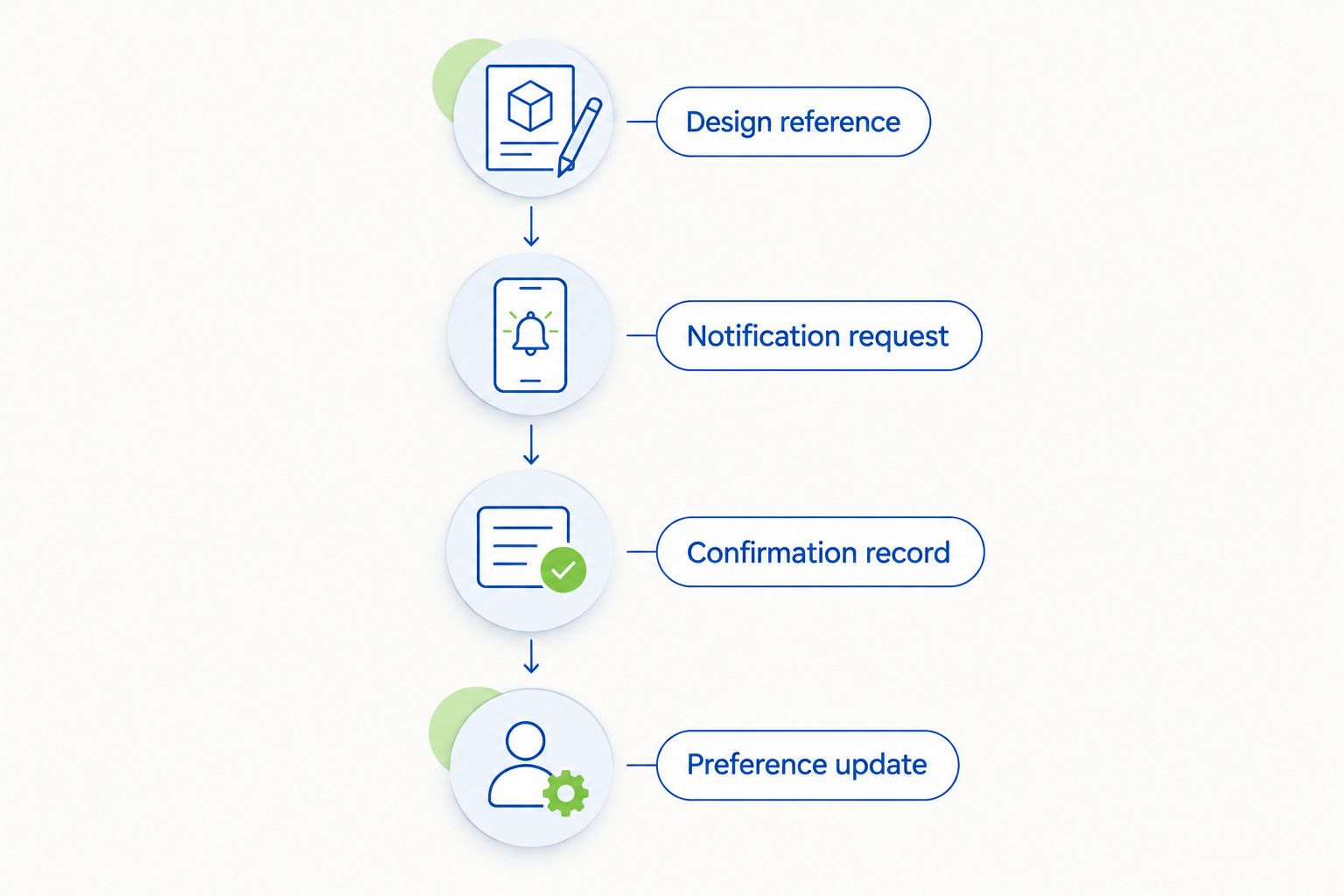
Keep the design reference and the confirmed follow-up method together.
Your preference update
Your request should continue to reflect what you want. If your plans change, update the original conversation instead of leaving conflicting descriptions in separate messages.
- Reopen the original correspondence and identify the preference that changed.
- State the new preference directly, including whether it replaces the old one.
- Ask whether the change requires any additional action under the notification process you were given.
- Save the reply beside your original request.
Expected result: Your latest message clearly identifies the current request without requiring someone to reconcile several versions.
A gift deadline is useful context, but it is not a promise of timing. If you are planning a celebration in 2026, share the occasion date and ask what next step makes sense for your plans.
Another approach: request guidance before choosing the exact piece
Sometimes you know the designer you love but have not settled on a design. In that case, start with a selection conversation rather than requesting an alert for an unidentified piece.
Best for undecided shoppers: Ask for help narrowing your preferences before requesting piece-specific updates. The benefit is a clearer brief; the limitation is that a general style discussion does not identify a single notification target.
Best for shoppers with a firm favorite: Keep the inquiry tied to the exact design. The benefit is precision; the limitation is that it leaves less room to consider a different look.
Exact-design inquiry
- Best for: You have a firm favorite
- Advantage: Keeps the request focused
- Limitation: Requires a recognizable design reference
Selection conversation
- Best for: You are still exploring
- Advantage: Helps clarify your preferences
- Limitation: Does not establish a piece-specific alert
Personal reminder
- Best for: You want to revisit your search
- Advantage: Keeps your own follow-up organized
- Limitation: Does not create a boutique notification
If you want a reminder, set it in your own calendar for a date you choose. Label it as a reminder to review the conversation—not as an expected restock date.
For bridal styling, explore Orly Marcel jewelry for a modern bride before narrowing your reference. Keep inspiration and confirmed product details separate.
Troubleshooting your request
You cannot find a notification control
Ask Element 79 which process applies to your inquiry. Do not assume a missing control is a browser fault or repeatedly submit unrelated forms; a direct process question is the useful next step.
You sent a message but do not know whether anything was recorded
Check the original reply channel, including filtered email folders when relevant. Then follow up in the same conversation and ask whether another action is required; the absence of a response is not confirmation of enrollment.
The response refers to a different design
Resend the original reference and point out the distinguishing feature. Ask the boutique to confirm the corrected design before continuing, especially when two pieces look similar in a small photograph.
Your preferred size or length is uncertain
Tell the boutique that fit is unresolved. Do not turn a guess into a firm requirement just to complete the inquiry; ask what information is needed to clarify your choice.
You receive general news rather than a piece-specific reply
Keep general communications separate from the notification request. Return to the original conversation and ask whether piece-specific follow-up is supported and whether your inquiry needs another step.
Customize your workflow
Build your request around how you intend to wear the jewelry. A piece for everyday dressing, a personal milestone, and a bridal look each call for a different conversation about fit and styling.
Choose 2 preferences to clarify first: what must stay the same and what you are open to discussing. This gives your inquiry direction without creating a long list of competing requirements.
For a 2026 bridal plan, explain whether you are exploring a complete look or one finishing piece. Ask about a consultation if you want help making that distinction; do not assume a notification request also creates an appointment.
Explore your next jewelry piece
Start with the boutique's site, then ask about the Orly Marcel design you have in mind.
FAQ
How do I request an Orly Marcel restock notification?
Ask Element 79 which piece-specific notification process applies to your inquiry. Include the exact design reference, relevant fit preferences, and your preferred reply method, then follow the instructions provided.
Does signing up for a jewelry newsletter create a restock alert?
Do not treat a newsletter signup as confirmation of a piece-specific alert. Ask separately whether your exact design can be included in a notification request.
What information should I include in my request?
Include the designer, exact displayed piece name or saved reference, and any relevant size or length preference. Identify uncertain details as questions rather than filling them in from appearance alone.
Can I request a text message instead of an email?
Ask which contact methods the boutique supports before choosing one. State your preference, but treat the reply—not your request—as confirmation of the method to use.
What should I do if I cannot find a notification button?
Ask the boutique how to make a piece-specific inquiry. Do not assume an automated alert exists or that another signup form serves the same purpose.
Can I change my jewelry preferences after sending a request?
Send the revised details in the original conversation and ask whether another action is needed. Clearly state which preference replaces the earlier one.
What if I need the jewelry for a specific occasion?
Share the occasion date and ask what next step fits your plans. Keep that date separate from any timing information explicitly confirmed in the conversation.
One last thing
Save the detail that made you stop scrolling. A design reference tells someone which piece you mean; a short note about its silhouette or how you imagine wearing it explains why it matters to you.
That distinction helps keep your conversation personal without making it vague. You can be precise about the piece and still leave room to ask thoughtful styling questions.
Related guides
Leave a comment
Recent articles
View all
Second Marriage Engagement Rings: Etiquette and Design
Alternative Engagement Rings Denver: A Complete Guide