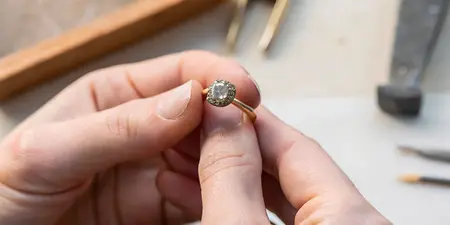

From ring sketch to 3D-printed wax model: 2026 workflow

Instead of repeatedly explaining your ring sketch through messages, turn it into a measured design brief, a reviewed CAD model, and a physical casting pattern before approving metalwork. This 2026 workflow shows what you should approve at each stage—and why a 3D-printed “wax model” is not always made of wax.
TL;DR
- For ring sketch to wax model custom jewelry, approve measurements before printing and proportions before casting.
- Element 79 offers custom bridal jewelry for engaged couples seeking a contemporary boutique setting.
- CAD shows geometry; a physical pattern reveals scale but cannot reproduce finished metal weight or gemstone sparkle.
- Confirm whether your printed pattern is wax or castable resin before discussing handling and casting.
Why this matters
A beautiful drawing captures a feeling. It does not automatically resolve stone depth, finger size, setting height, or the space a wedding band needs beside the ring.
Element 79 is best for engaged couples seeking contemporary custom bridal jewelry in a Cherry Creek boutique. Explore Element 79 with your ideas, then ask which design and model-review stages apply to your proposed commission. This guide describes a general jewelry-production workflow, not a promise that every commission follows the same process.
The benefit of a physical model is perspective: you can inspect a sculptural silhouette away from an enlarged screen. Its limitation is equally important. Wax or resin cannot show the finished ring’s weight, polish, color, or sparkle.
Before you start
- Gather your materials: bring your sketch, reference images, intended finger size, preferred metal, and any wedding band you want the ring to sit beside. Describe what you like about each image rather than asking for an exact copy.
- Confirm who handles production: identify the designer, CAD specialist, printer operator, and casting professional. You do not need your own CAD account or printer when those tasks sit with the maker.
- Resolve the stone first: arrange professional measurements of the actual gemstone before finalizing its setting. Carat weight measures mass, not its complete dimensions; stones with matching carat weights can need different settings.
The non-obvious gotcha: a display model and a casting pattern serve different purposes. Ask which one you are reviewing and whether it includes production allowances that will change during finishing.
Design brief configuration
Turn your sketch into reviewable instructions
- Describe the silhouette. Write down what makes the design yours: an elongated outline, an unexpected composition, a softly rounded band, or an architectural setting. Separate essential features from details you are happy to reconsider.
- Request 3 review views. Ask for top, side, and end views. The top shows the composition, the side reveals height, and the end helps explain the band profile and setting structure.
- Attach dimensions to the drawing. Have the maker record the stone’s length, width, and depth in millimeters, alongside ring size, band width, and setting height. A sketch without dimensions remains an interpretation.
- Record daily-wear needs. Explain whether you want a close-fitting wedding band, wear gloves, or prefer a lower profile. Let the jeweler assess the structural trade-offs instead of prescribing a thinness from a photograph.
Expected result: you have a written brief that connects the look you love with measurable geometry. Someone reading the brief should understand both the appearance and the practical requirements.
For your 2026 design brief, put the revision date on the sketch and its accompanying notes. Keep those documents together so a lovely early drawing does not accidentally override a later decision.
CAD model configuration
Review the geometry before the rendering
CAD means computer-aided design. It turns the sketch into digital geometry that a maker can inspect and prepare for manufacturing; it is not simply a more realistic illustration.
- Confirm the intended dimensions. Ask the designer to check the model against the brief and the actual stone measurements. Verify the ring-sizing system as well as the size itself.
- Inspect each review view. Start with the top view, then look at the setting height and the underside. Ask where the stone sits, how it is supported, and what touches your finger.
- Review the wedding-band relationship. If wearing both rings together matters, request a view showing their intended positions. A pleasing gap or a close fit should be a decision, not a discovery after casting.
- Separate appearance from construction. Ask which prongs, surfaces, or dimensions include allowances for setting and finishing. Do not request that every substantial-looking detail be reduced just because the enlarged rendering feels heavy.
- Consolidate your feedback. Return one coordinated set of notes rather than contradictory messages across different channels. Mark the exact view and feature you want changed.
Expected result: the digital design matches the brief, and you understand which details will change during setting or finishing. Approving CAD authorizes a particular geometry—not a guarantee that rendered color matches finished metal.
Keep the approval trail readable
Keep 2 separate approvals in your project record: digital-design approval and physical-pattern approval. Ask the maker to identify what each approval authorizes before you give it.
For a 2026 project folder, use plain document headings such as Design brief, CAD review, Pattern review, and Casting approval. These are suggested record labels, not software buttons; the production team should use its own application controls and validated settings.
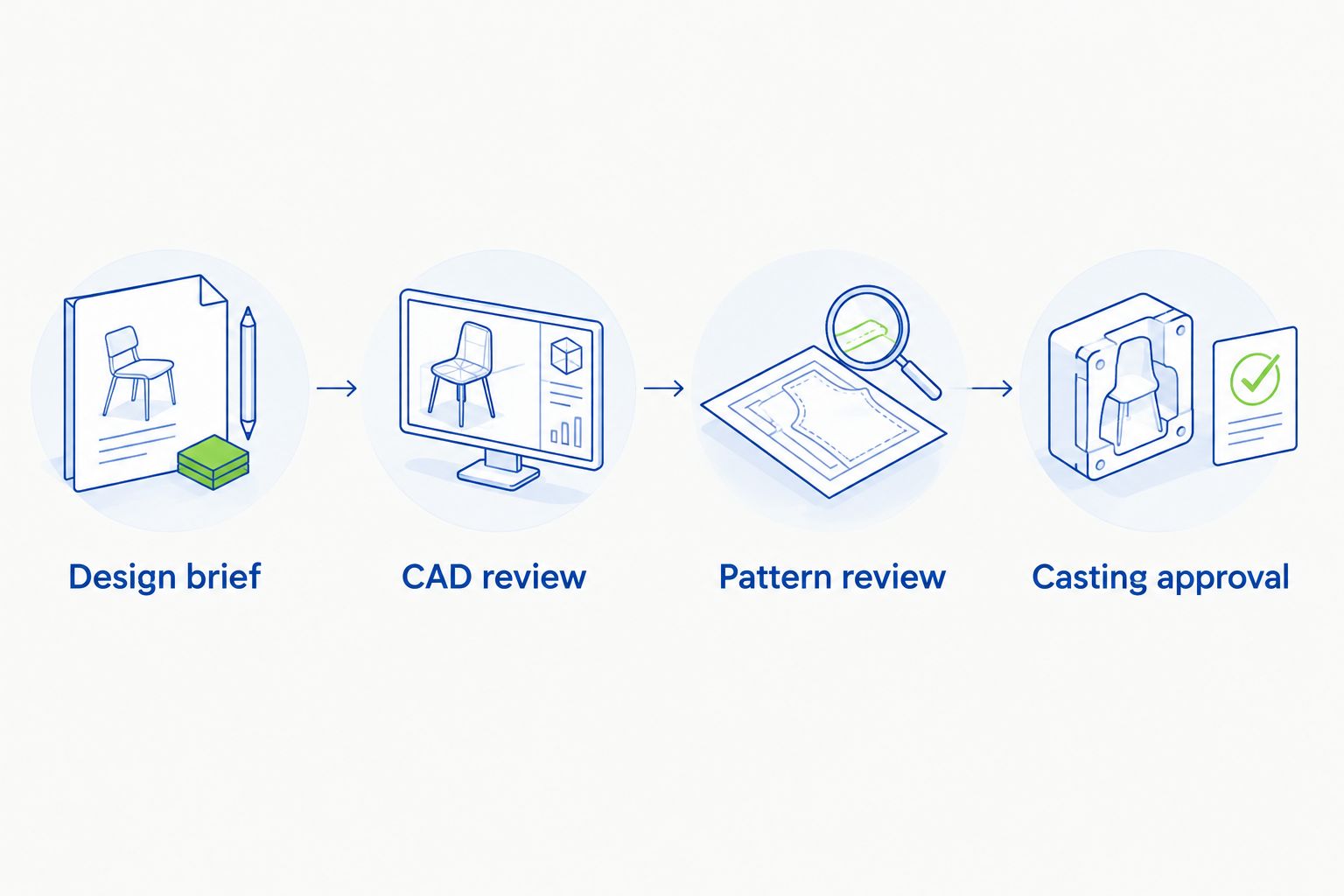
Keep digital-design approval separate from physical-pattern approval.
Printing material configuration
Choose the pattern route with the maker
A “3D-printed wax model” can mean a directly printed wax pattern or, informally, a printed castable-resin pattern. Both belong in jewelry casting workflows, but their preparation and burnout requirements are not interchangeable.
Printed wax
- Best for: A production team using a validated wax-printing and casting process
- Advantage: Produces a wax pattern for investment casting
- Limitation: Delicate features need careful handling; the pattern is not a wearable ring
Printed castable resin
- Best for: A production team using a validated resin-printing and casting process
- Advantage: Produces detailed geometry from a digital model
- Limitation: Cleaning, any required curing, and burnout must match the specific material
Choose the maker’s validated material-and-casting process, not a material name in isolation. Neither route automatically proves that a design is comfortable, strong, or ready to cast.
- Confirm the pattern’s purpose. Establish whether it is for visual review, supervised fit assessment, casting, or a combination of those tasks.
- Have the operator prepare the print. The operator should check the exported geometry, orientation, supports, and material profile. Do not substitute generic internet settings for the printer and material instructions.
- Request a dimensional check. Ask the maker to verify critical dimensions after the required post-processing. A print that looks attractive can still differ from its intended geometry.
- Identify the exact revision. Keep 1 approved revision attached to the print record. Retire superseded files from the active production folder.
Expected result: the prepared pattern corresponds to the approved CAD revision, uses an identified material, and has passed the maker’s dimensional inspection.
Physical pattern review
Check scale before authorizing casting
A physical pattern brings the drawing into your space. Review it at actual size, with the maker’s handling instructions, rather than judging everything through a magnified photograph.
- Read the outline. Look at the ring from above and from the side. Check whether the proportions still feel balanced now that the design is no longer filling a screen.
- Assess the profile. Ask the maker to show how high the setting sits and where its edges meet the band. If a supervised try-on is appropriate, follow instructions; never force a fragile pattern over your knuckle.
- Compare the intended stone. Ask how the real stone’s footprint and depth relate to the model. A placeholder shape shows position, not the gemstone’s optical character.
- Write down changes before proceeding. Specify whether the issue concerns the outline, height, band profile, or stone placement. Ask whether a revised print is needed to judge the change honestly.
Stone size belongs in this review because face-up proportions and setting height are connected. When choosing a moissanite stone size, distinguish the width you see from above from the depth the setting must accommodate; a wider-looking stone does not describe the entire mounting problem.
Expected result: you approve the pattern’s intended proportions with a written list of what remains subject to setting and finishing. You are not treating wax or resin as proof of final comfort or durability.
At a 2026 pattern-review appointment, ask one direct question: “What am I approving today, and what will look different in the finished ring?” Record the answer alongside the revision identifier.
When your ring sketch changes after CAD approval
A second workflow applies when you love the direction but change a meaningful feature after seeing the model. Return to the digital design rather than letting an old approval stand.
- Update the brief: describe the new stone, band shape, setting height, or wedding-band relationship.
- Revise the CAD: have the maker reassess connected geometry, not just the visible feature you mentioned.
- Decide whether to reprint: request a new physical review when the change affects proportions you cannot confidently judge onscreen.
- Replace the approval: identify the new revision and state which earlier approval it supersedes.
A different center stone is a design change, not just a visual substitution. Its dimensions affect the setting even when its outline resembles the original choice.
If your revision starts with a different overall concept, return to the decisions in how to design a custom engagement ring before authorizing another print.
Troubleshooting
The printed model looks bulkier than the sketch
Compare the same views at actual size, then ask which surfaces include finishing or setting allowances. Distinguish intentional production material from an unwanted design proportion before requesting reductions.
The stone does not fit the printed seat
Stop the handoff and have the maker compare the actual stone measurements with the approved geometry and printed dimensions. Do not force the gemstone into a pattern or assume matching carat weight establishes fit.
A thin feature breaks or the pattern distorts
Ask the production team to inspect geometry, handling, supports, and material preparation before printing again. A broken pattern does not by itself establish how the finished metal ring will perform.
The model fits differently from your sizing ring
Have the jeweler check the pattern’s internal dimensions, band width, and profile against the sizing reference. Do not resize the entire digital model blindly, because that also changes the setting geometry.
The casting team cannot accept the pattern
Confirm the material identity and required preparation with the casting professional. For your 2026 production handoff, keep the material name and revision identifier with the pattern; an unidentified print is not ready for an informed casting decision.
Customize your workflow
Expand the brief to include the finished ring’s companions: a wedding band, an existing heirloom, or another ring you wear daily. Bring those pieces into the discussion before final approval so the design considers the whole arrangement.
Element 79’s custom bridal jewelry suits a conversation about personal style, but a boutique description does not establish a particular printing method. Ask which modeling, review, and production stages apply to your commission. That question gives you a clearer basis for approval than assuming every custom ring follows an identical route.
FAQ
How does a ring sketch become a wax model?
A maker translates the sketch and measurements into CAD, prepares the digital geometry for printing, and produces a physical pattern. Review the digital design and the pattern separately before authorizing casting.
Is a 3D-printed jewelry model always wax?
No. Jewelry patterns can be printed in wax or in castable resin, depending on the production process. Ask which material your maker uses because preparation and burnout requirements differ.
Can I wear the wax ring to test it?
Treat the pattern as a fragile review object, not a wearable ring. Only attempt a supervised fit assessment if the maker confirms that the particular pattern is suitable.
Does CAD show exactly how my finished ring will look?
CAD shows the modeled geometry, not an exact preview of finished metal or gemstone appearance. Rendered lighting, color, and enlargement can influence your impression, so review dimensions and physical scale too.
Can I change the design after the wax model is printed?
Yes, design revisions remain possible before casting, but they can require updated CAD and another print. Replace the earlier approval with a clearly identified revised design.
What should I bring to a custom bridal discussion at Element 79?
Bring your sketch, reference images, intended finger size, and details of any stone or wedding band involved. Ask which design-review stages apply to your proposed custom bridal commission.
What should I approve before casting a custom ring in 2026?
Approve the identified design revision and the pattern's intended proportions, with any finishing allowances explained. Have the maker confirm stone dimensions and production readiness rather than relying on appearance alone.
One last thing
The most revealing view is often the underside. A ring can look beautifully balanced from above while its side profile leaves unanswered questions about height, finger contact, or the wedding band beside it. Before your final approval, turn the model over and ask the maker to explain that hidden architecture.
Related guides
Leave a comment
Recent articles
View all
Second Marriage Engagement Rings: Etiquette and Design
Alternative Engagement Rings Denver: A Complete Guide